Follow the steps below to convert your gift cards to USDT on the SwegzApp.
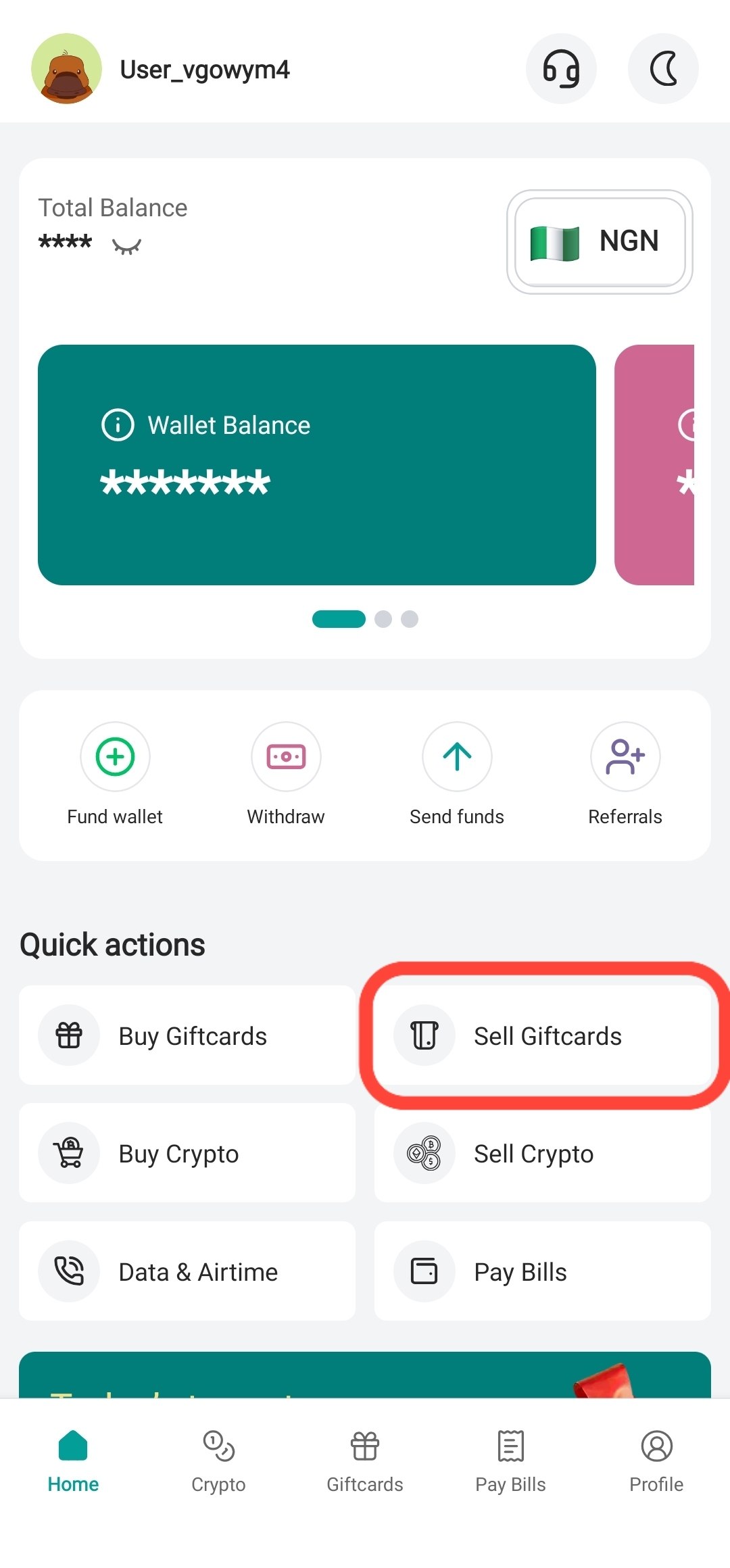
Step 1: Sell Your Gift Card
From the home screen, tap “Sell Gift Cards”. (If you haven't sold a card yet, please refer to our guide on selling gift cards).
Step 2: Select Card Details
Choose the Country, Brand, Type (Physical or E-Code), and Denomination of your gift card.
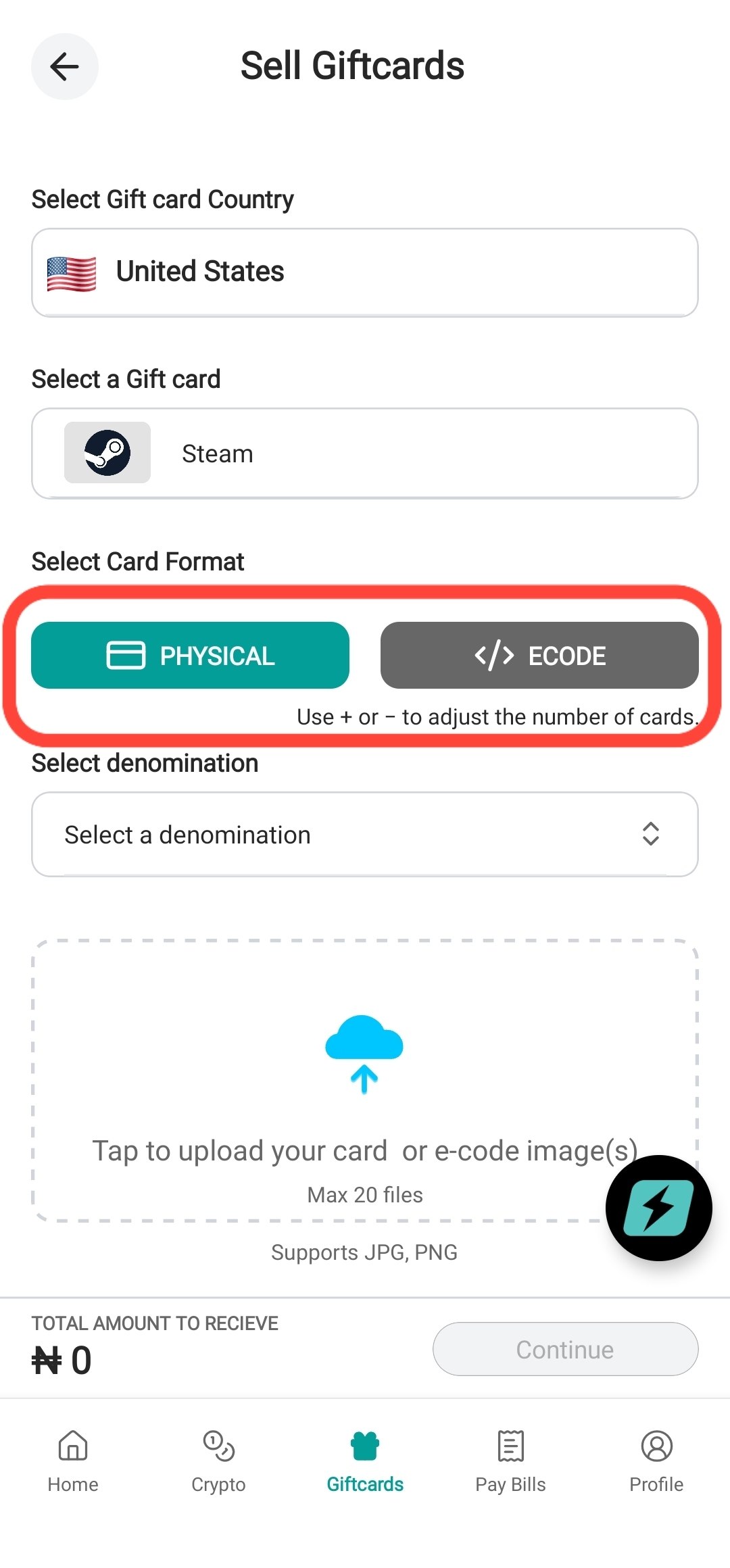
Step 3: Upload Images
Upload clear, high-quality pictures of your gift card. Once uploaded, tap “Continue” to submit for approval.
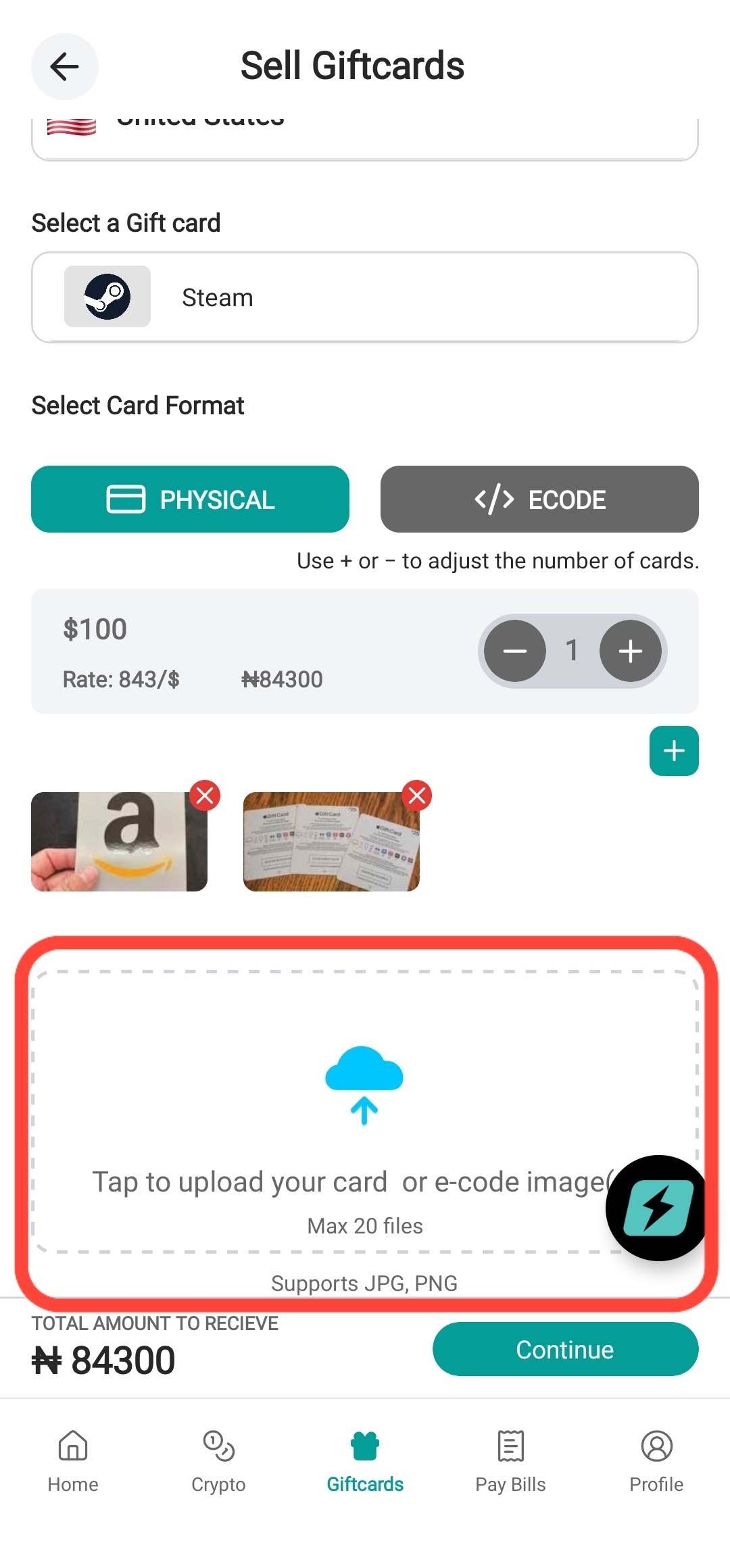
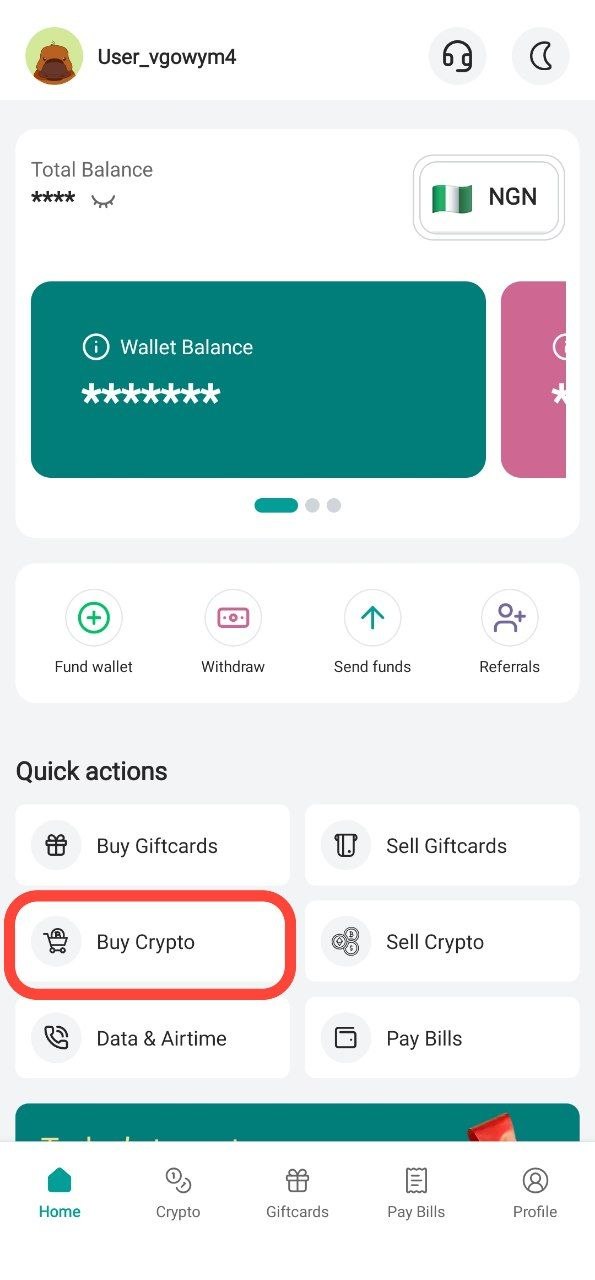
Step 4: Navigate to "Buy Crypto"
Once your gift card trade is successful and your SwegzApp balance is credited, return to the home screen and tap “Buy Crypto”.
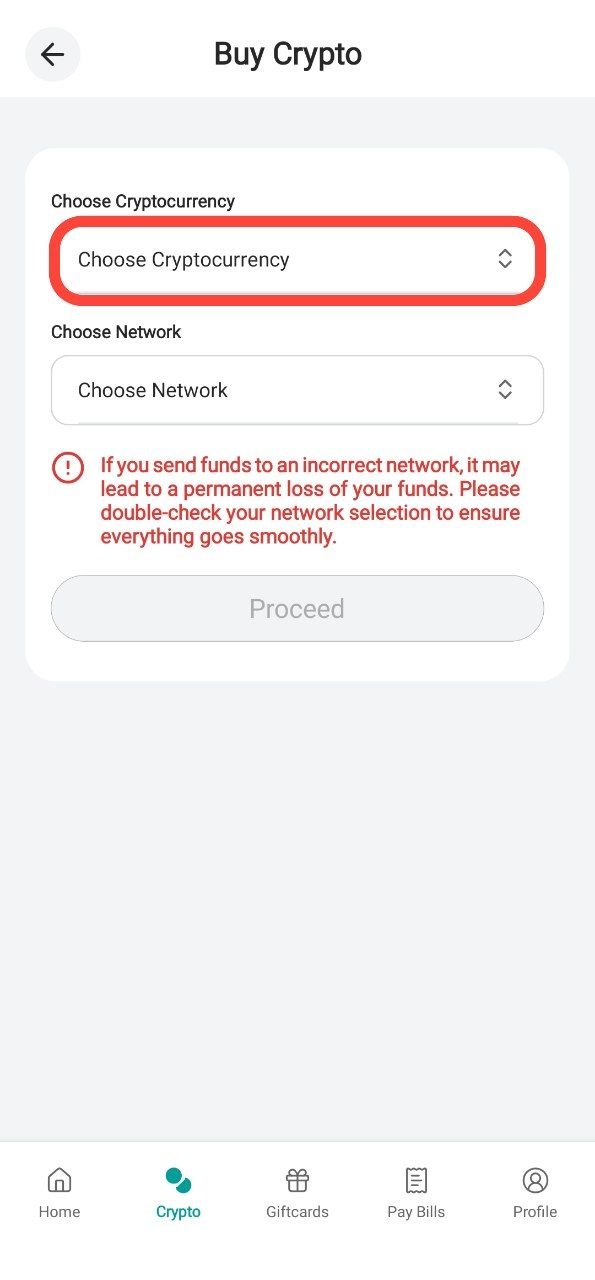
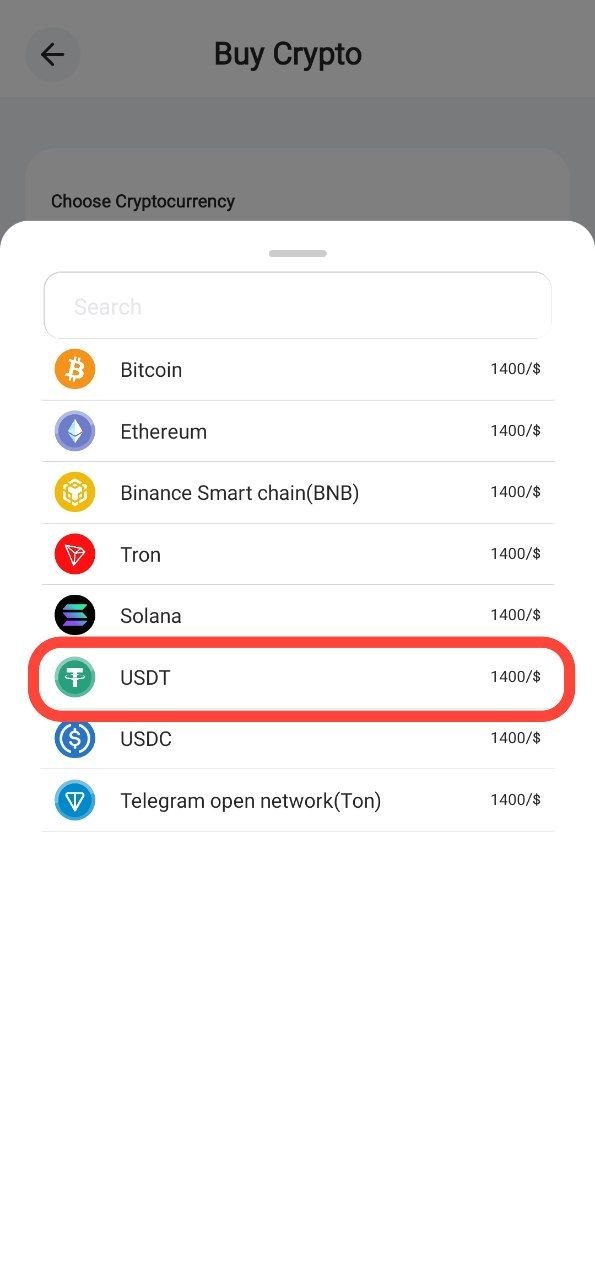
Step 5: Choose Token ( USDT )
Tap Choose Cryptocurrency and select USDT.
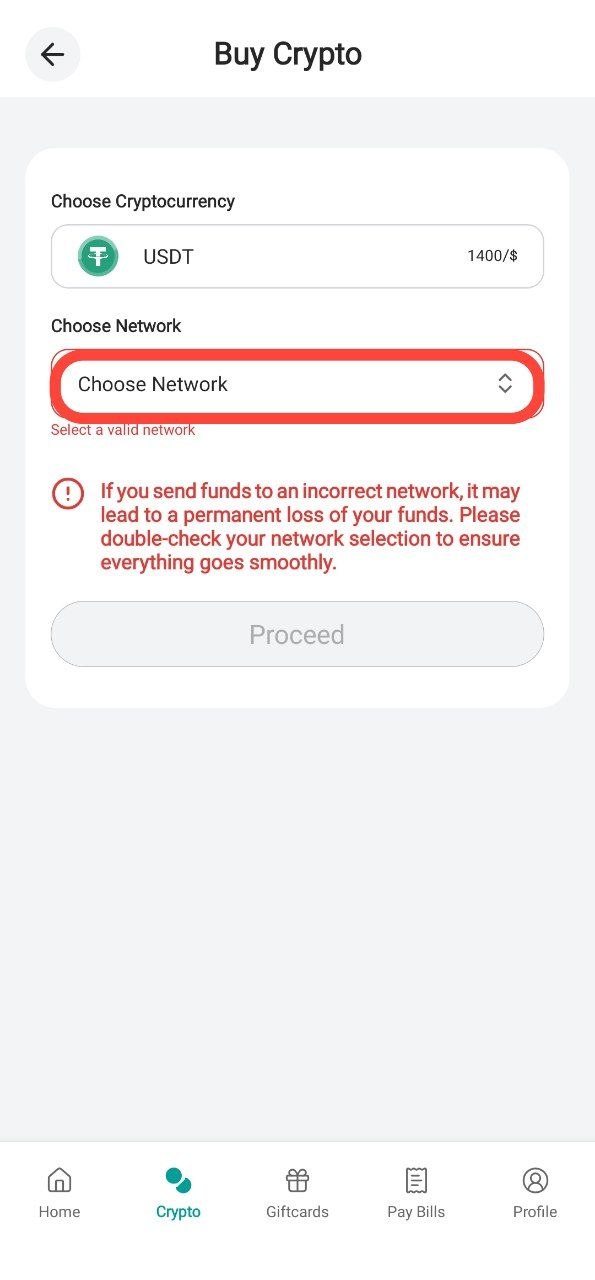
Step 6: Choose your Network
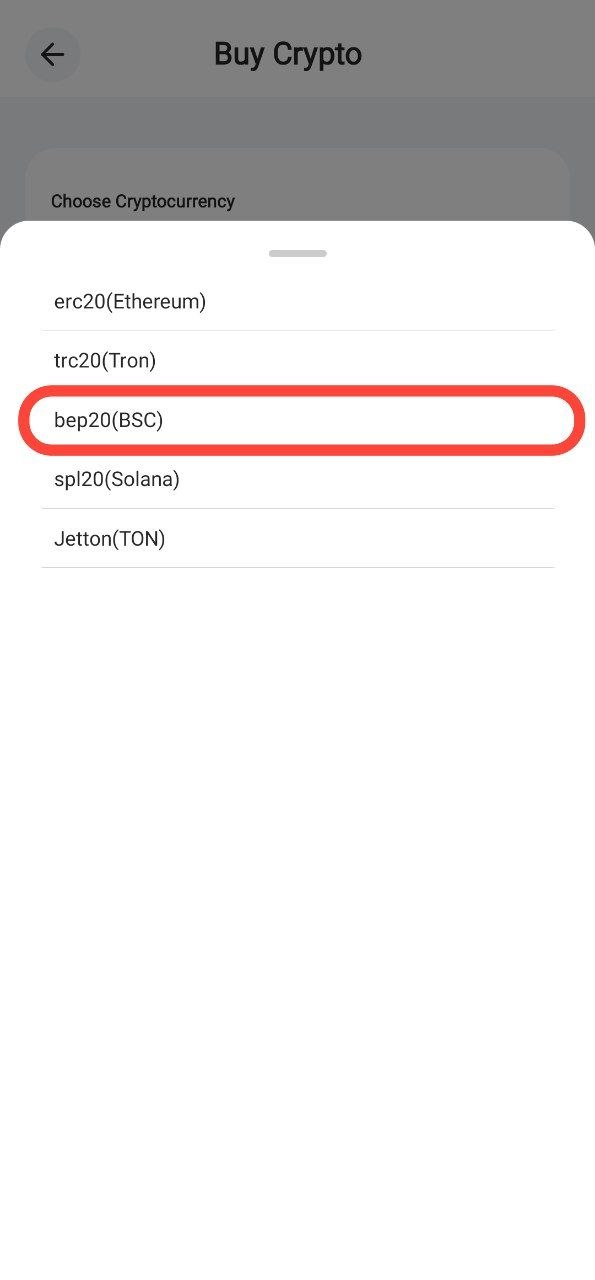
Tap Choose Network and select the Network/Chain you would like to receive your USDT on ( In this example we'll be using BEP20/BSC ) ⚠️ Warning: Ensure your receiving wallet supports the network you select. Sending to an unsupported network can lead to a permanent loss of tokens.
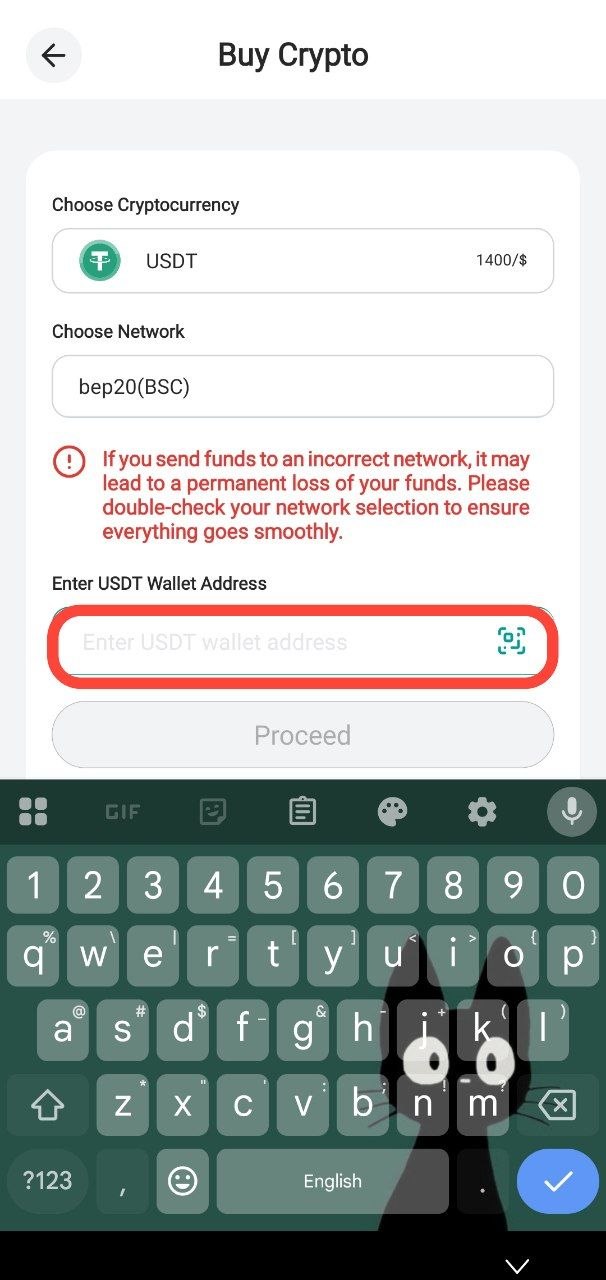
Step 7: Submit Your Wallet Address
Paste your receiving wallet address or tap the icon to scan your QR code. Tap “Proceed”.
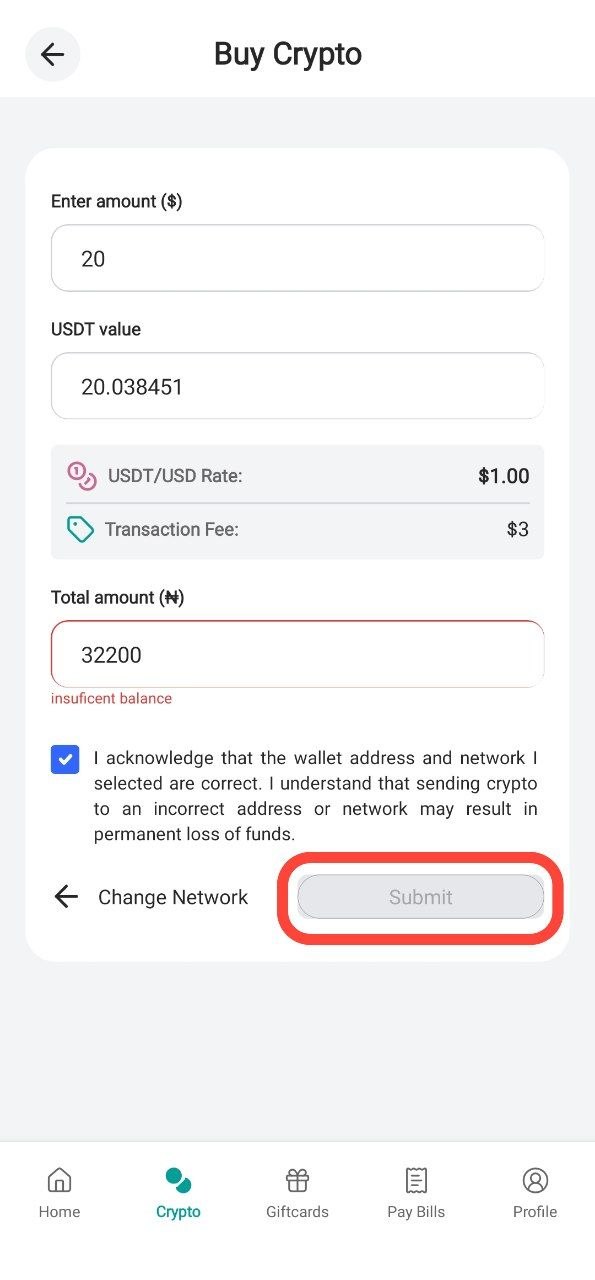
Step 8: Confirm Transaction
Review your transaction details, then enter your PIN to authorize the purchase. Your USDT will be sent to your wallet shortly.
Thank you for choosing SwegzApp.
Article contributor
Swegz Team
Contributor to Swegz Blog’s practical guides on safer crypto and gift-card decisions.