Follow the steps below to fund your sportybet account from the SwegzApp
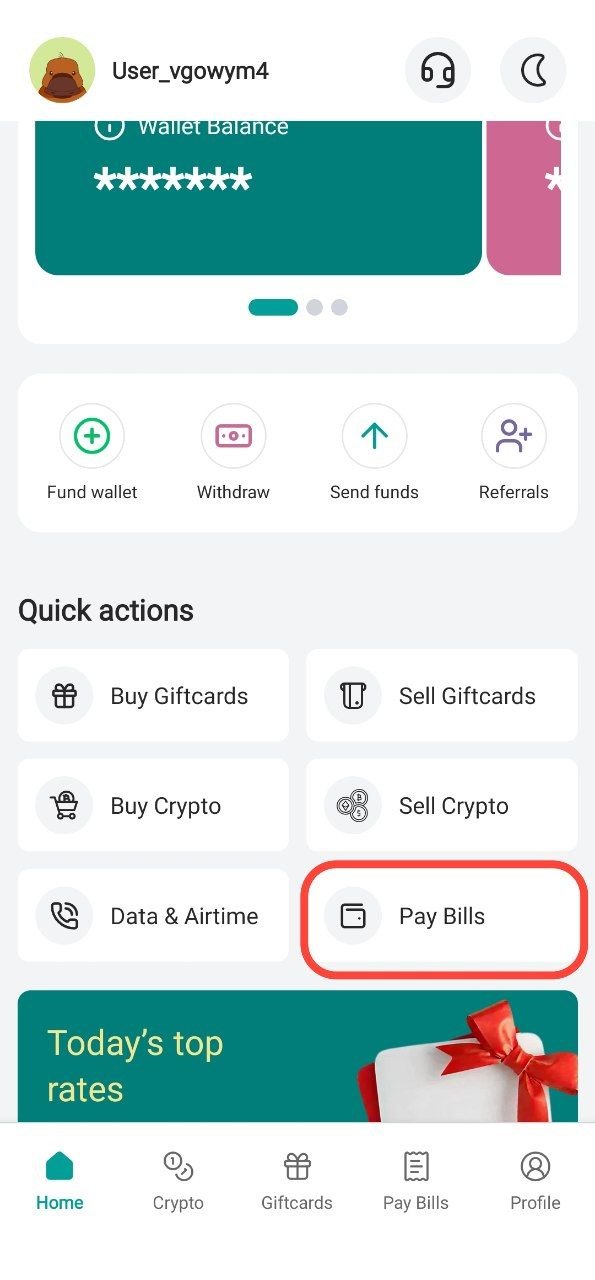
Step 1: Tap "Pay Bills"
From the home screen, tap "Pay Bills"
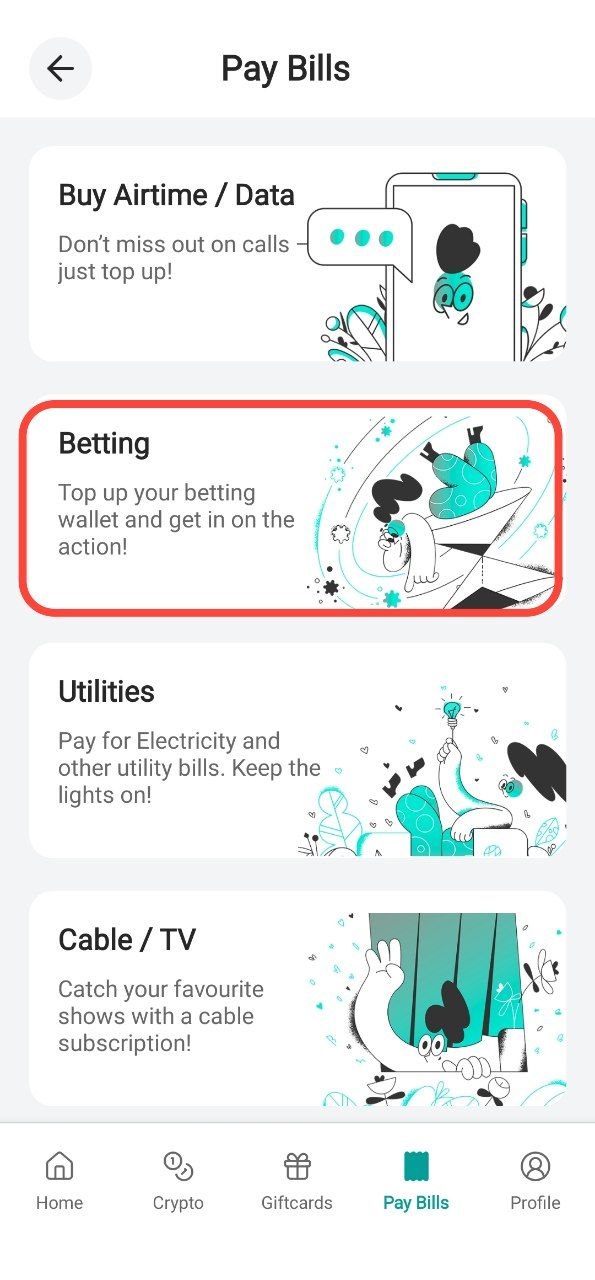
Step 2: Select Betting
Choose the service you want
Example:
- Data /Airtime
- Betting
- Utilities
- Cable /Tv
- Education
In this example we'll be choosing Betting
Step 3: Select the Provider
Click on "Select a Provider" and choose sportybet
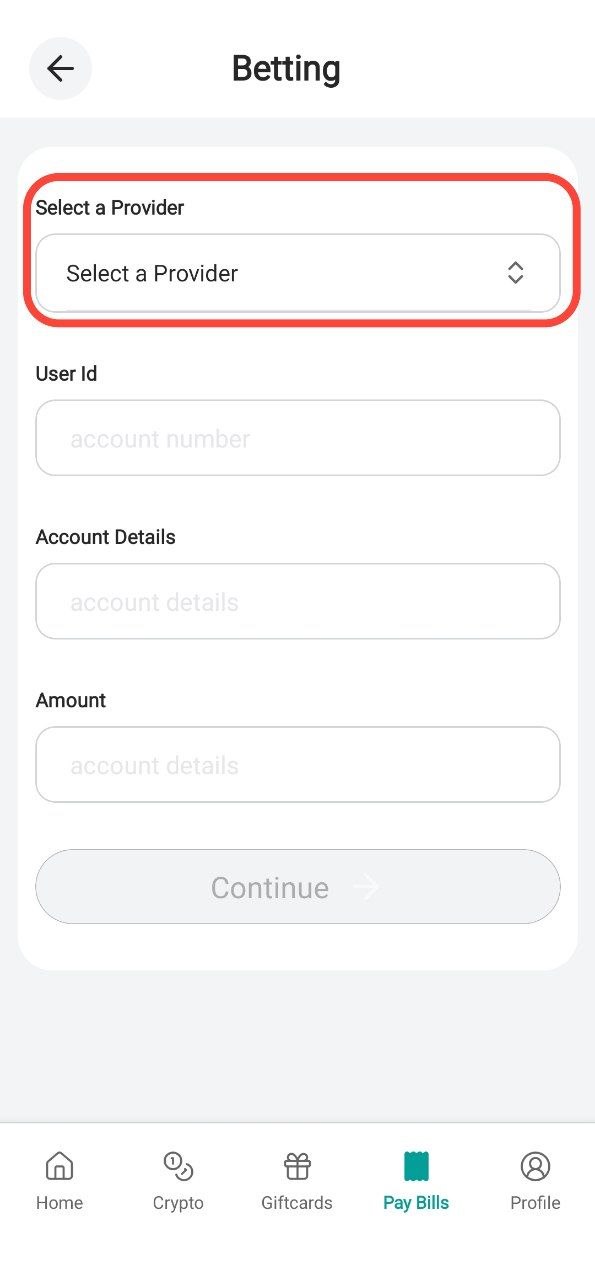
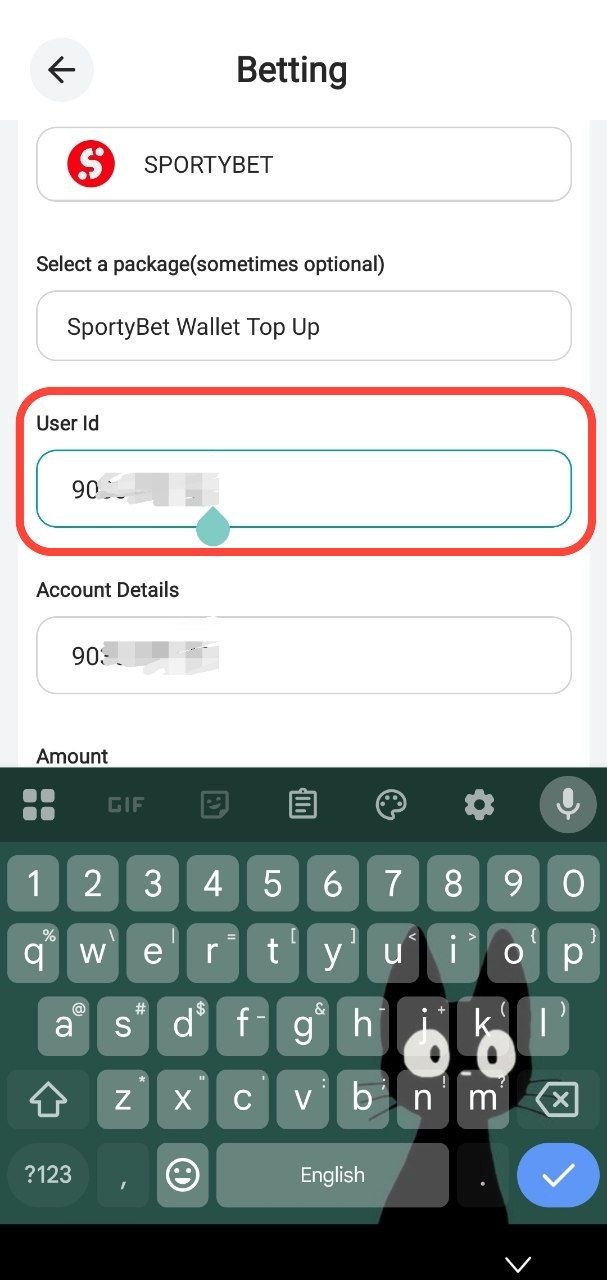
Step 4: Enter your Sportybet ID
Enter your Sportybet ID and account details
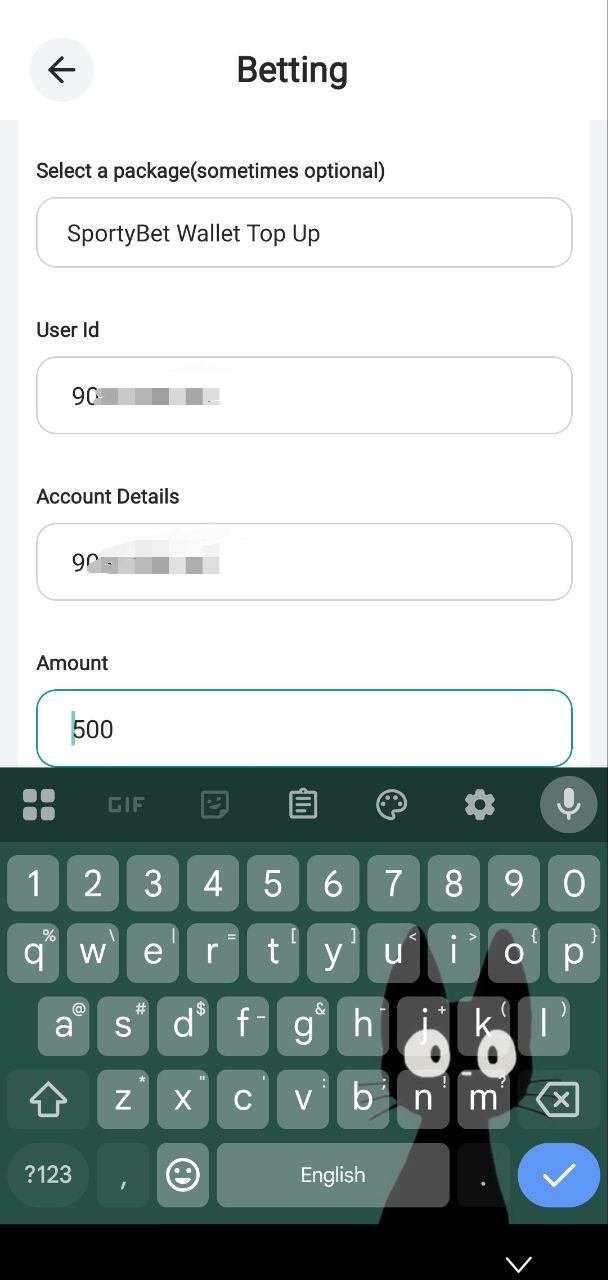
Step 5: Enter the amount you want to fund
Enter the amount you want to fund your sportybet account with
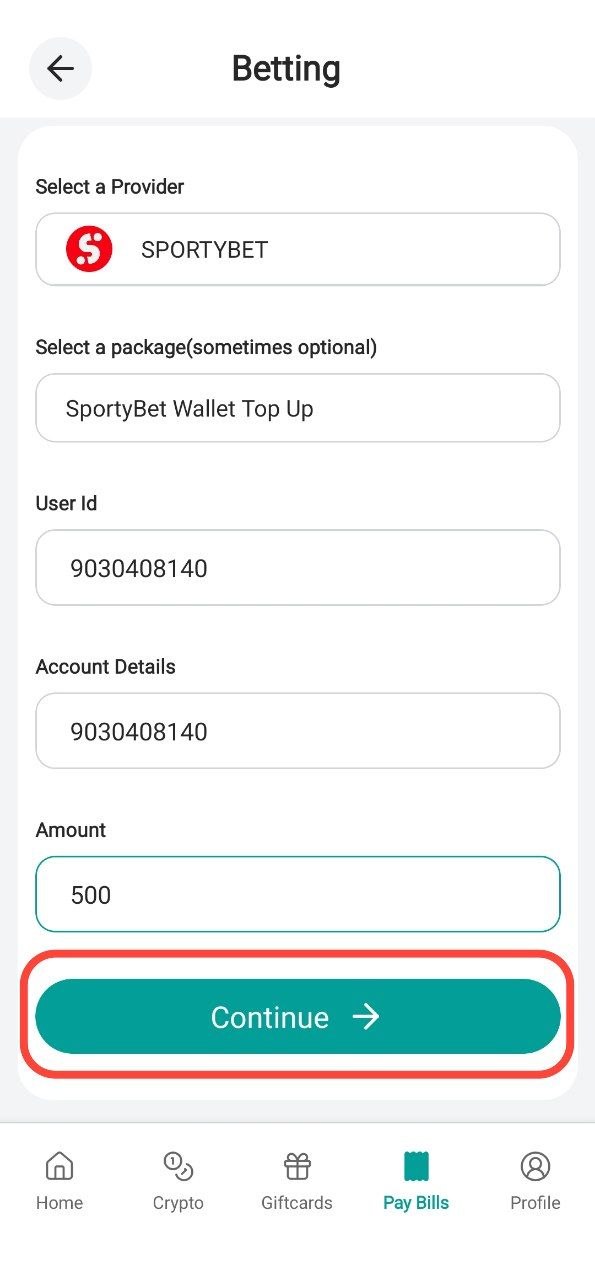
Step 6: Click Continue
Click on continue and verify your order
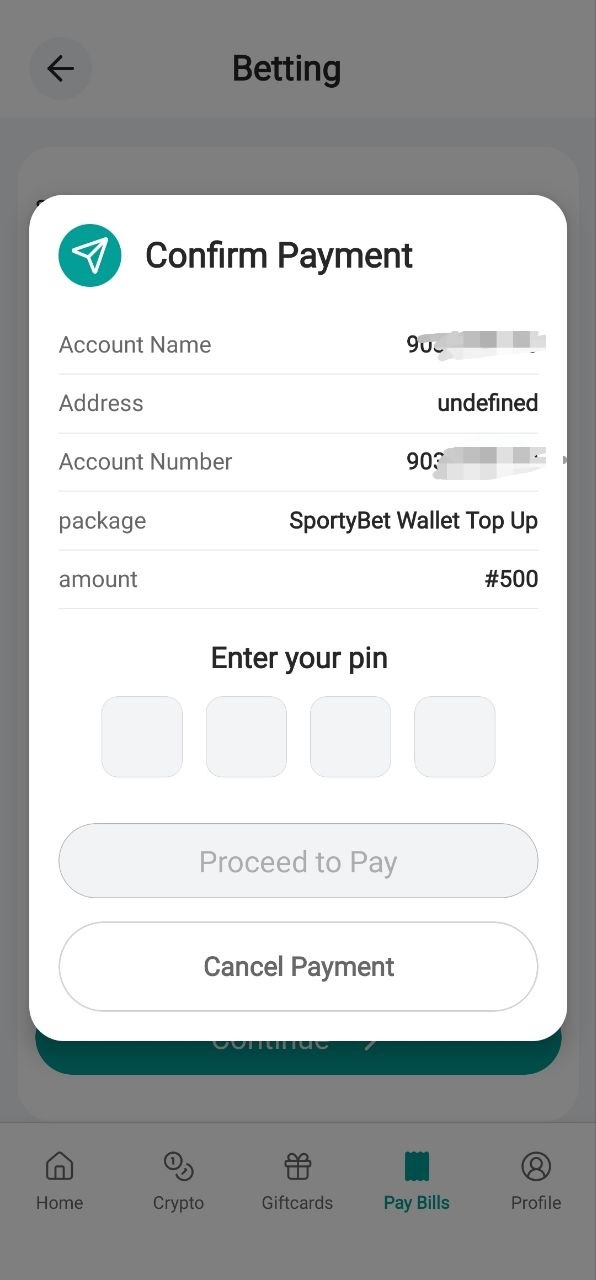
Step 7: Insert your Pin
Insert your pin and wait for your top-up
Thank you for using the SwegzApp.
Article contributor
Swegz Team
Contributor to Swegz Blog’s practical guides on safer crypto and gift-card decisions.
Browse topics
#Giftcard#crypto#Airtime#Amazon#Data#dollar#Security#Swegzapp#apple#apple card#Apple Pay#Apple Pay Nigeria#Bank#betting#blockchain#bnb#Buy Virtual Card Nigeria#Fiat#Google Pay#Google Pay Nigeria#International Payment Card#International Payments#Mastercard#Mastercard $1 to $150#MTN#Naira#Nigeria#Online Payment Card Nigeria#rates#razor#Scam#sol#sporty#SwegzApp Virtual Card#usdt#utility#Virtual Card#Virtual Mastercard Nigeria#Virtual Visa Card Nigeria#Visa $1 to $150#Visa Card