Follow the steps below to buy Data on the SwegzApp
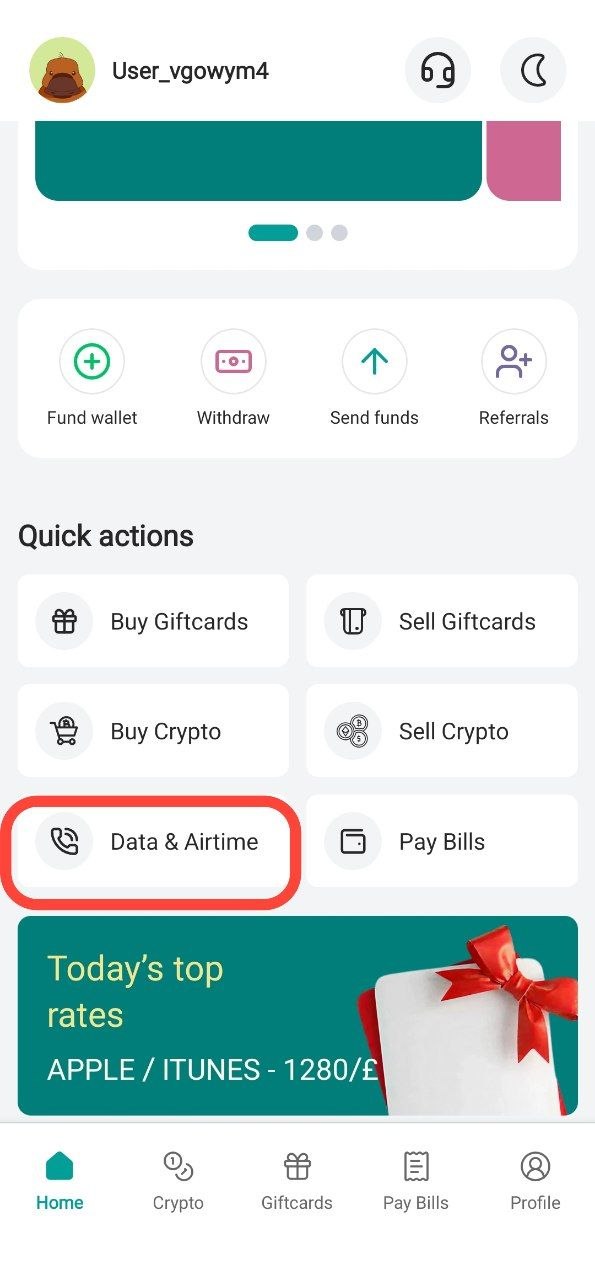
Step 1: Tap "Data & Airtime"
From the home screen, tap Data & Airtime
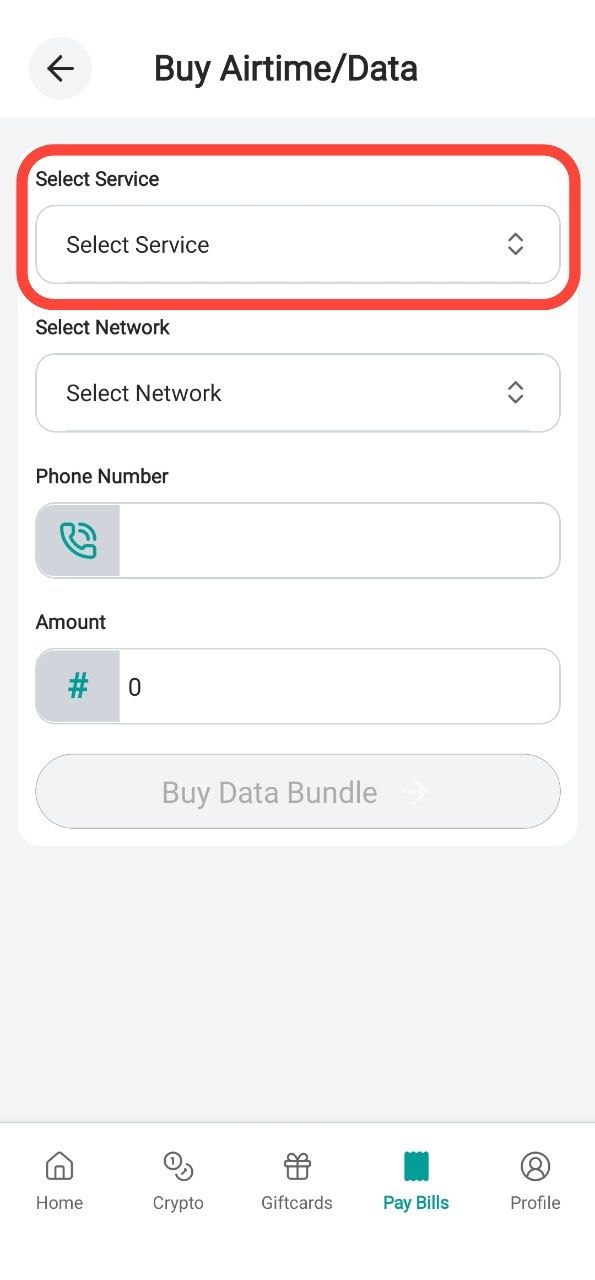
Step 2: Select Service
Choose the service you want Data or Airtime.
In this example we'll be buying a data bundle for a MTN number
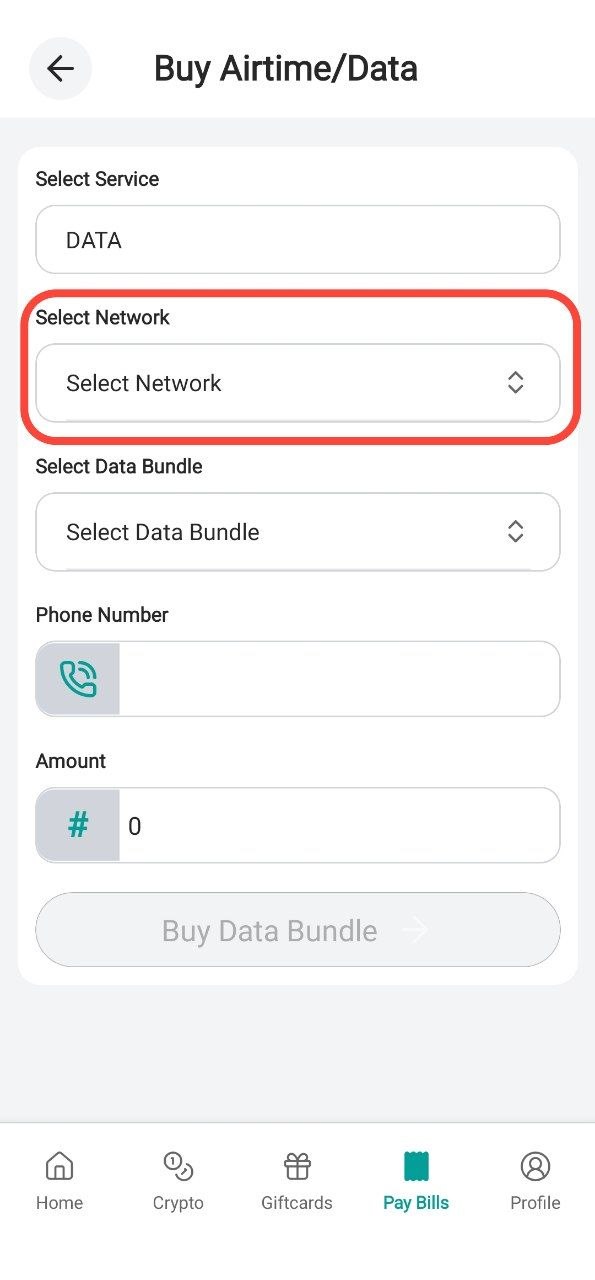
Step 3: Select the Network
Choose the Network
Example: . Glo . MTN . Airrtel . 9Mobile
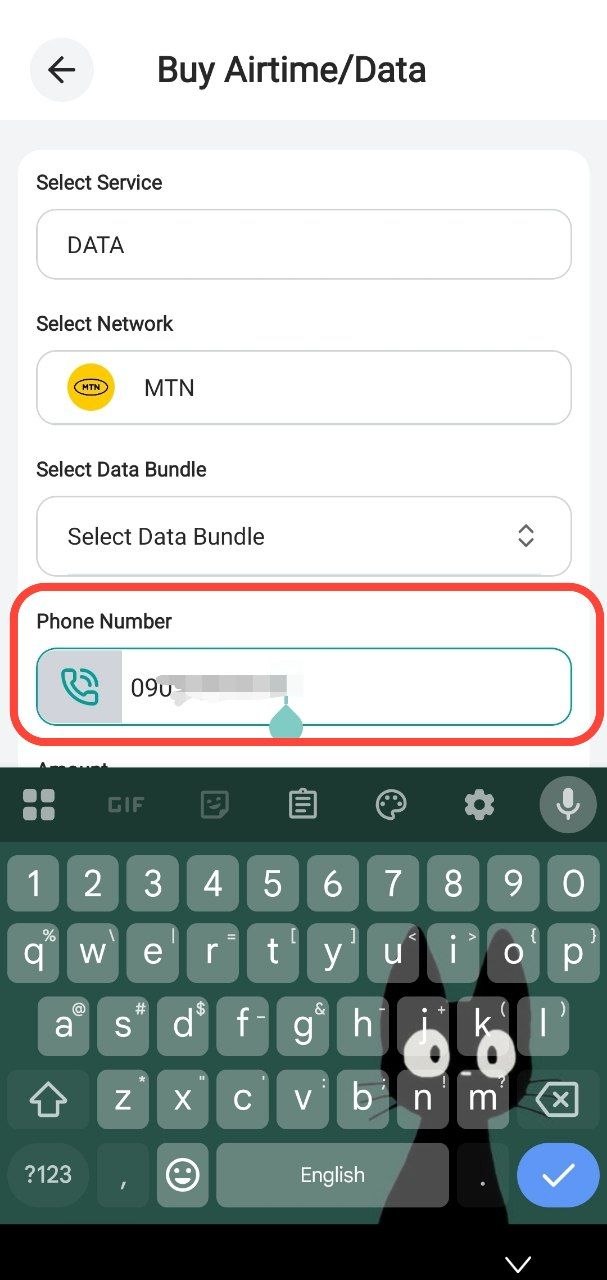
Step 4: Enter your phone number
Enter your phone number
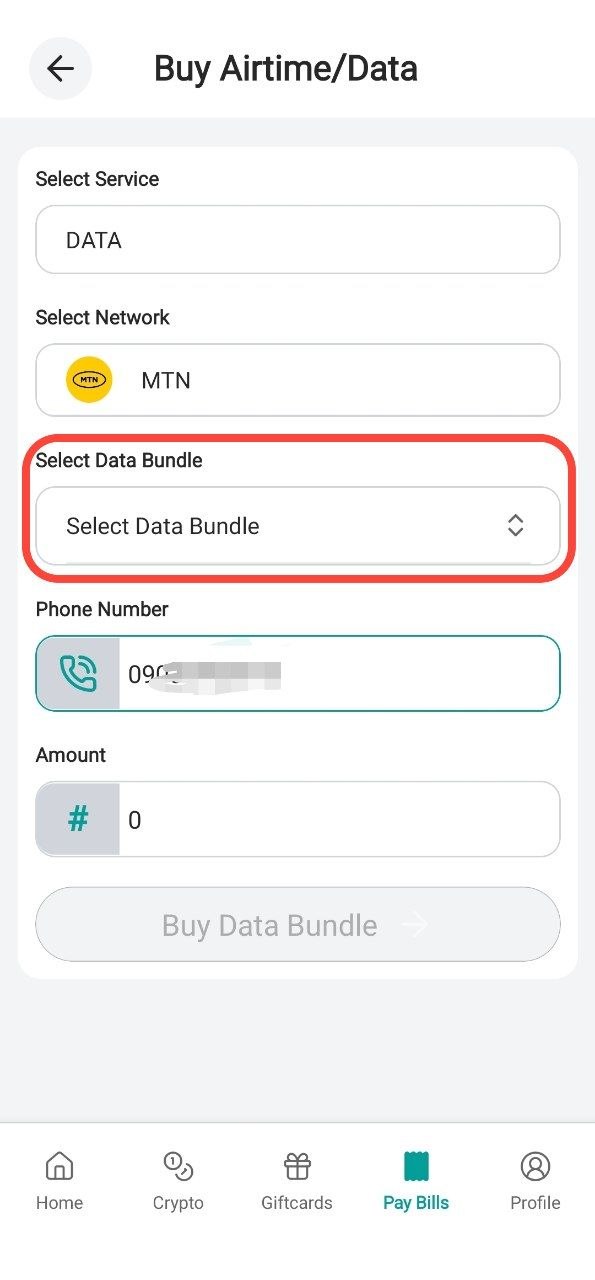
Step 5: Select Data Bundle
Choose the data bundle you prefer
Step 6: Click Continue
Click on continue and verify your order
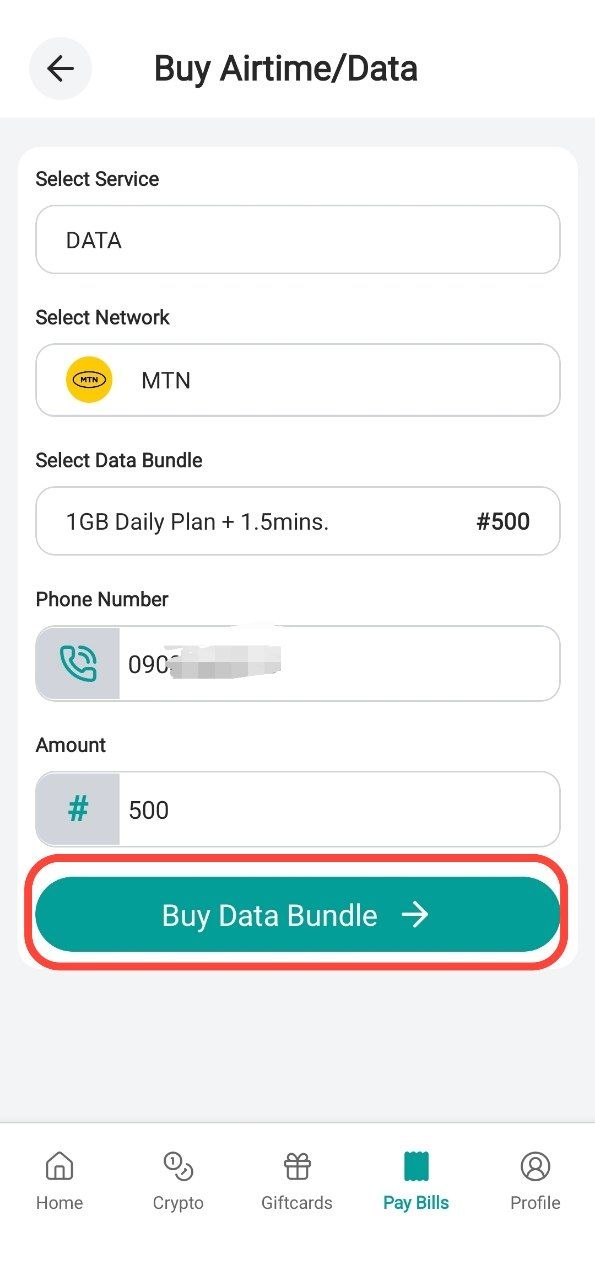
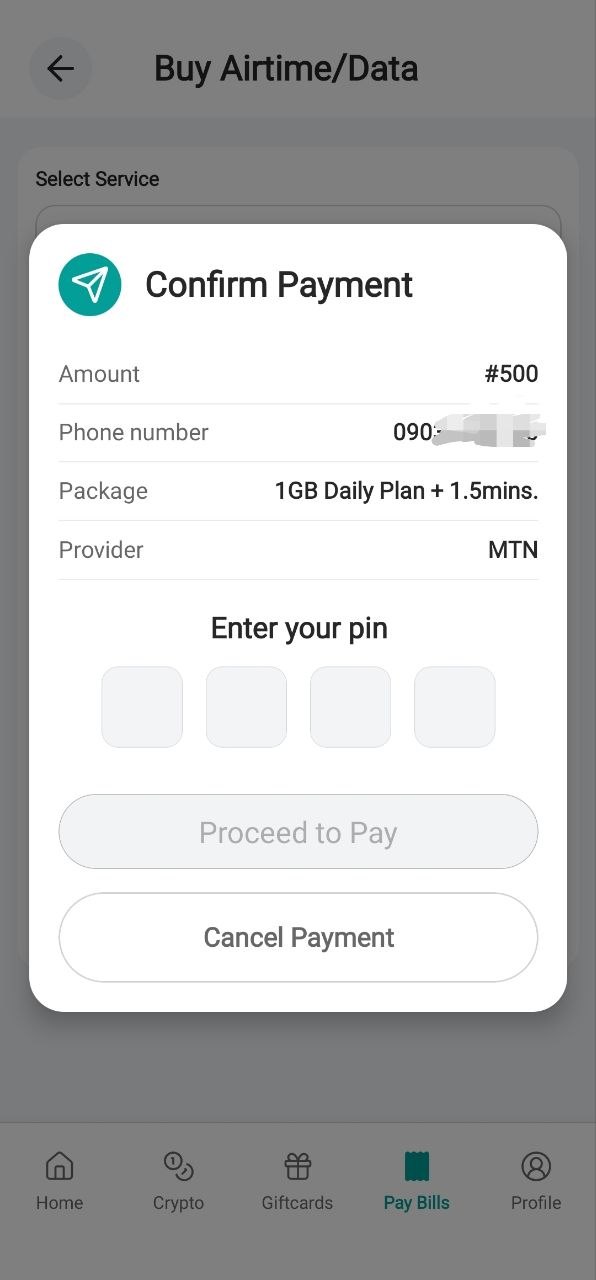
Step 7: Insert your Pin
Insert your pin and wait for your data
Thanks for using the SwegzApp.
Article contributor
Swegz Team
Contributor to Swegz Blog’s practical guides on safer crypto and gift-card decisions.
Browse topics
#Giftcard#crypto#Airtime#Amazon#Data#dollar#Security#Swegzapp#apple#apple card#Apple Pay#Apple Pay Nigeria#Bank#betting#blockchain#bnb#Buy Virtual Card Nigeria#Fiat#Google Pay#Google Pay Nigeria#International Payment Card#International Payments#Mastercard#Mastercard $1 to $150#MTN#Naira#Nigeria#Online Payment Card Nigeria#rates#razor#Scam#sol#sporty#SwegzApp Virtual Card#usdt#utility#Virtual Card#Virtual Mastercard Nigeria#Virtual Visa Card Nigeria#Visa $1 to $150#Visa Card